Snuggles
SMS Consent Flow
How users opt in to receive an SMS verification code from Snuggles.
1. Sign-in screen (point of phone-number collection)
End users opt in by entering their own mobile phone number into the Snuggles mobile app's sign-in screen and tapping Continue. The consent disclosure shown on screen at the moment of phone-number collection is reproduced verbatim below the screenshot.
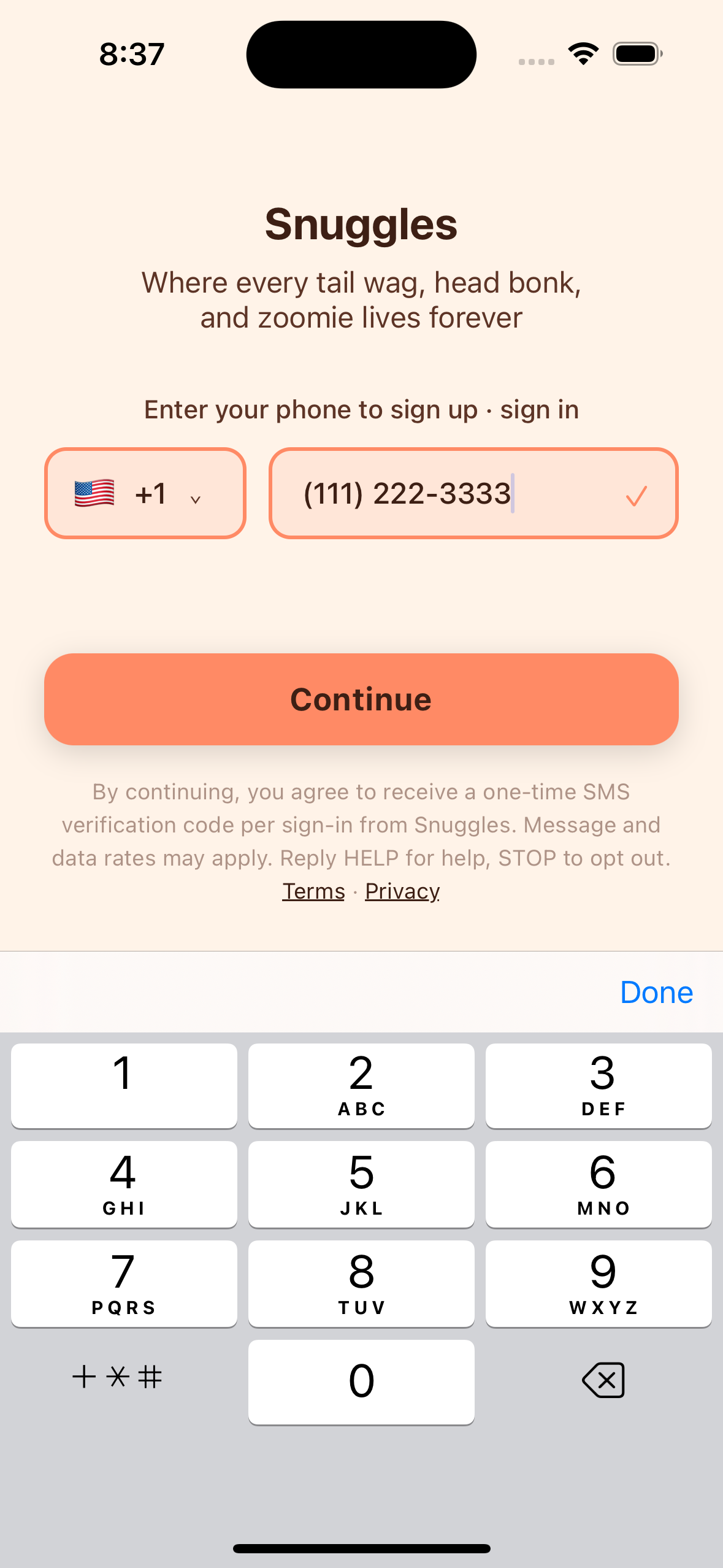
The exact text shown on the sign-in screen at the time the phone number is collected:
Snuggles
Where every tail wag, head bonk, and zoomie lives forever
Enter your phone to sign up · sign in
[country picker] [phone number entry field]
[Continue]
By continuing, you agree to receive a one-time SMS verification code per sign-in from Snuggles. Message and data rates may apply. Reply HELP for help, STOP to opt out. Terms · Privacy
Where every tail wag, head bonk, and zoomie lives forever
Enter your phone to sign up · sign in
[country picker] [phone number entry field]
[Continue]
By continuing, you agree to receive a one-time SMS verification code per sign-in from Snuggles. Message and data rates may apply. Reply HELP for help, STOP to opt out. Terms · Privacy
2. The SMS the user receives
After tapping Continue, the backend sends a single transactional SMS to the number the user just entered, containing only the verification code, in this exact format:
Your Snuggles code is 123456. Valid for 5 minutes.
3. Verification screen
The user is then taken to a verification screen, where they enter the 6-digit code from the SMS to complete sign-in.
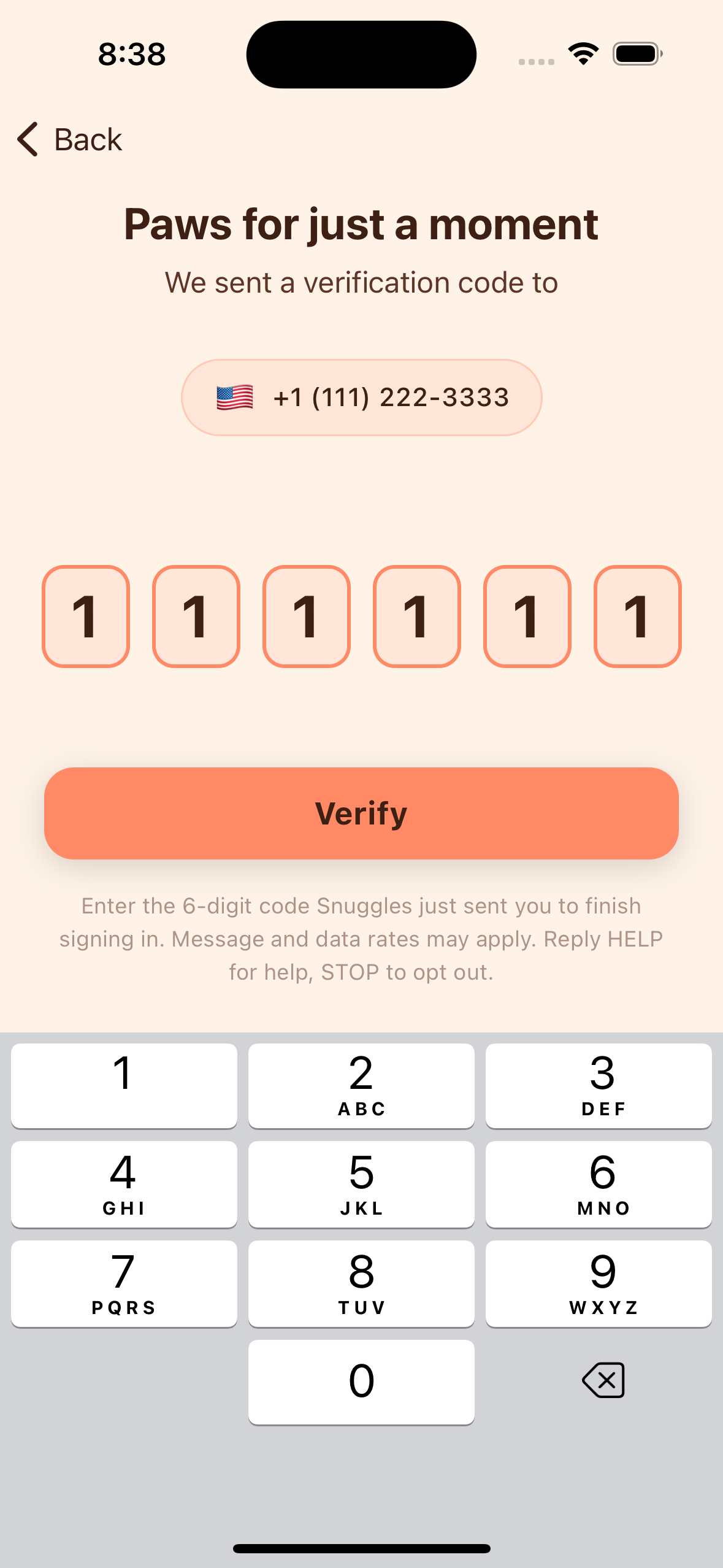
The exact text shown on the verification screen:
Paws for just a moment
We sent a verification code to [user's phone number]
[6-digit code entry field]
[Verify]
Enter the 6-digit code Snuggles just sent you to finish signing in. Message and data rates may apply. Reply HELP for help, STOP to opt out.
We sent a verification code to [user's phone number]
[6-digit code entry field]
[Verify]
Enter the 6-digit code Snuggles just sent you to finish signing in. Message and data rates may apply. Reply HELP for help, STOP to opt out.